Appearance
Conditional Visibility
Conditional logic can be applied to groups and tabs, so that they will be displayed or hidden depending on the value of a field.
Example project available
You can explore this functionality in  documentation/form_setup.
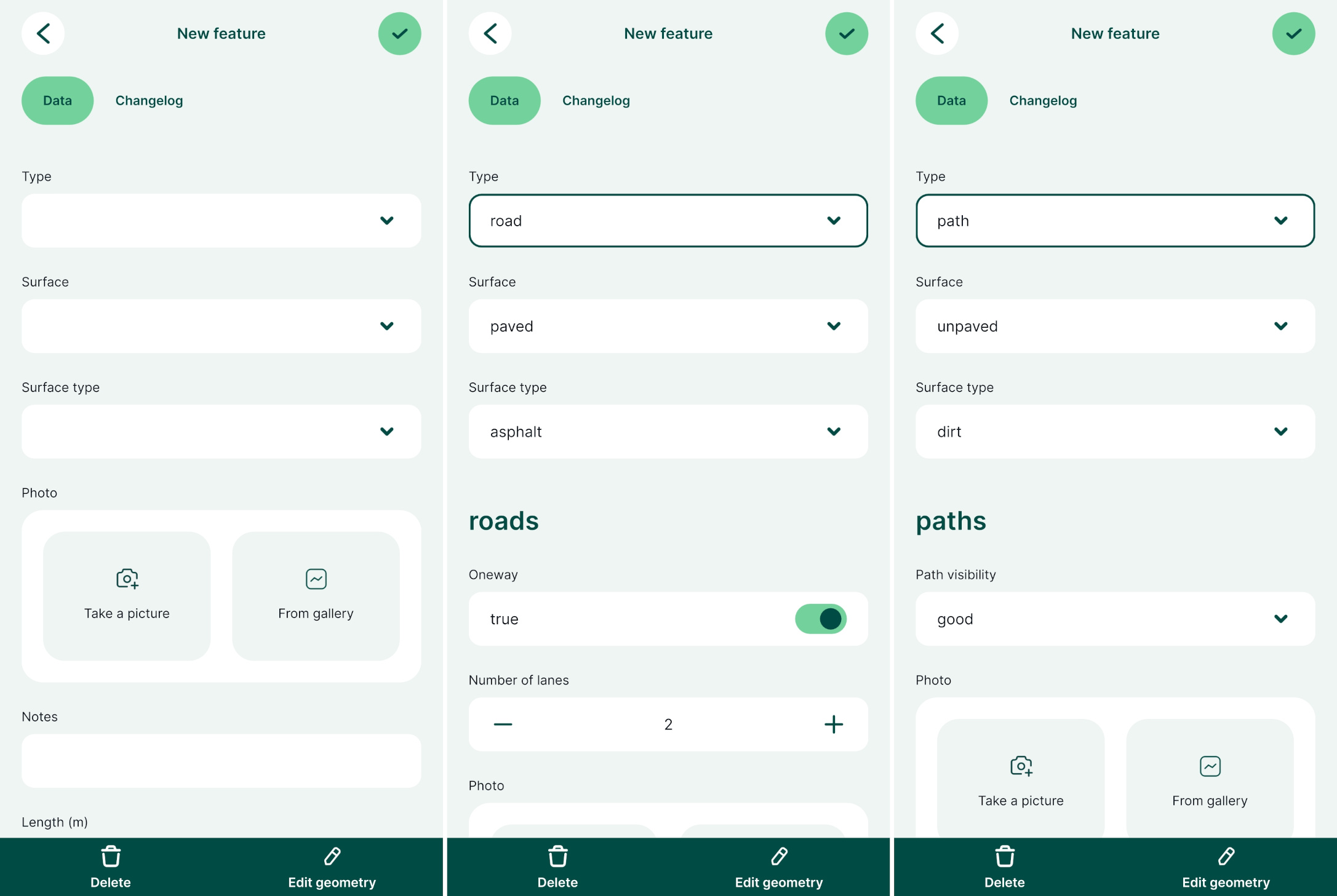
Here we will use a line layer named roads and paths. It is designed for surveying both roads and paths and most of the fields are relevant for every type of feature in this layer. However, there are some attributes that are specific for roads (e.g. the number of lanes) or for paths (e.g. the visibility of the path).
The form uses the value of the type field to display the relevant set of attributes. The type field is set up as a value map with defined values road and path.
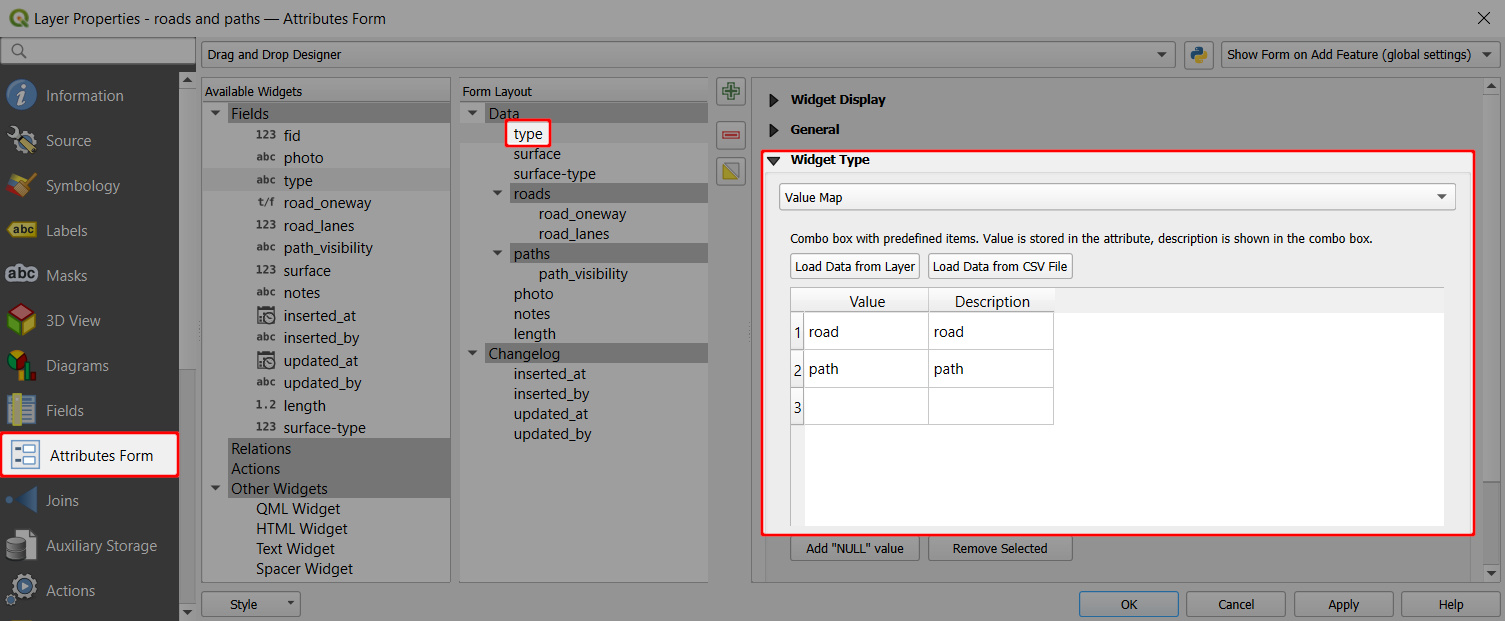
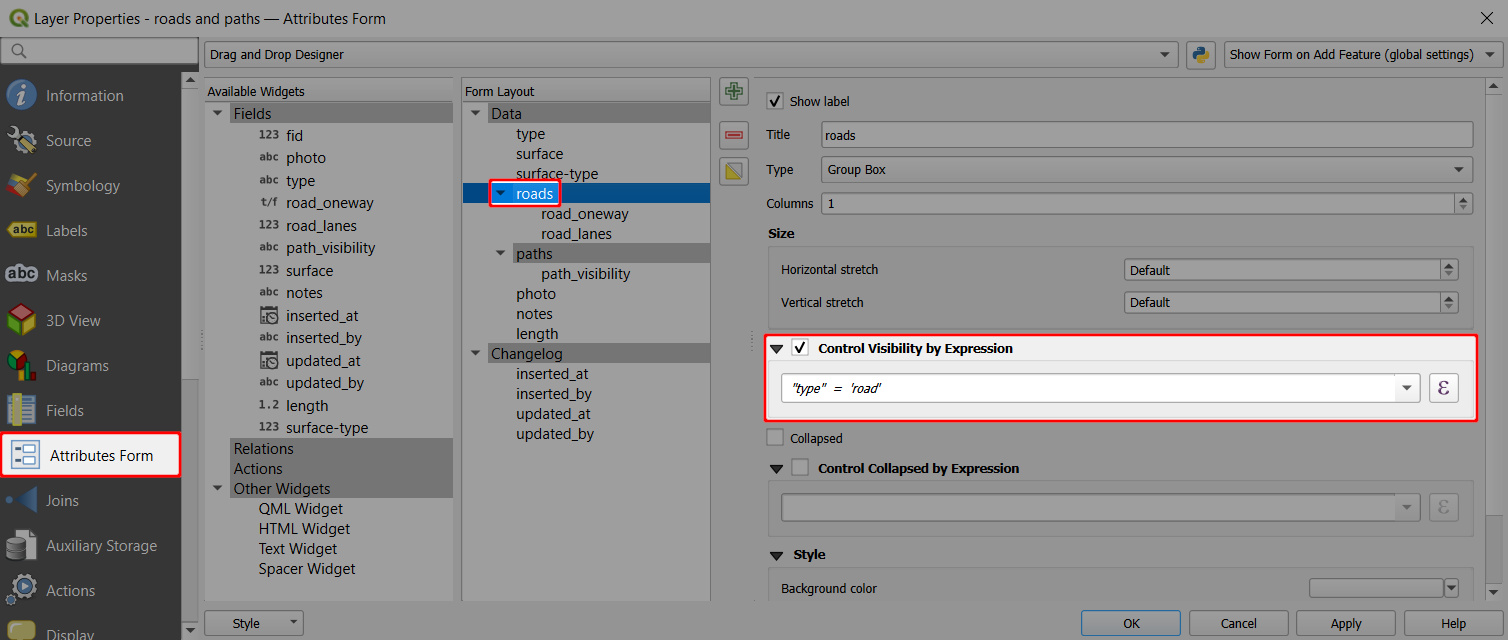
To set the visibility of groups in the attributes form:
- Click on the roads group in the Form Layout
- Check the Control Visibility by Expression option ✔️
- Define the expression. Here we use:
"type" = 'road'
- Same steps are used for the path group using the expression
"type" = 'path'
In the mobile app, the form displays these groups only when the condition is met. So, there are different sets of attributes depending on the value that is entered in the type field.