
Appearance
How to Embed an Image
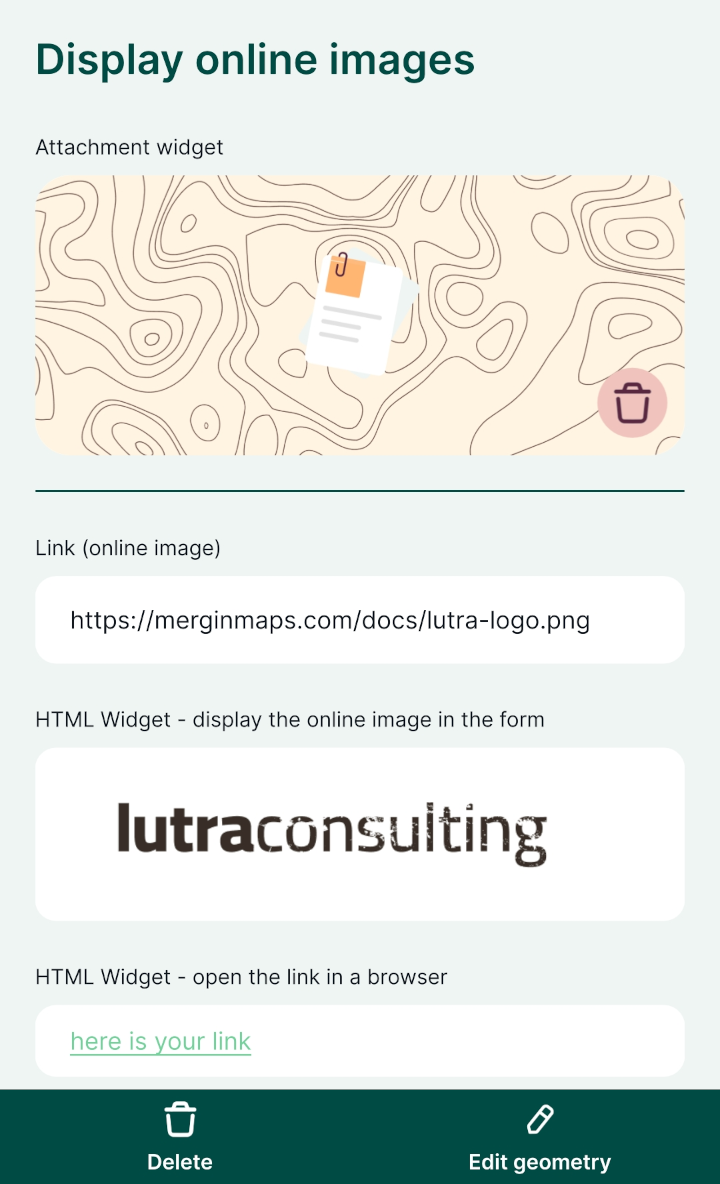
Online images can be displayed in the attributes form of a survey layer. There are two options:
- Using the Attachment widget is a straight-forward option to preview an online image in the form. Tapping the image in the form in the mobile app opens the image, so you can explore it in more detail directly in the app.
- The HTML widget uses a link stored in a field to display the image. Tapping the image in the form in the mobile app opens the image in a web browser (outside of the app).
Example project available
Both options are included in our example project  documentation/forms-display-images-and-files. Clone it to see how they work.
Using the attachment widget
The attachment widget can be configured to display online images in the form of a survey layer.
The survey layer needs to have a text field for storing the full URL link (here: photo).
- Right-click on the survey layer, select Properties and go to the Attributes form tab.
- In the list of Available Widgets select the text field you want to work with (here:
photo). - In the Widget Type tab:
- From the drop-down menu, select the Attachment widget
- Store the path as Absolute path
- Set the Integrated Document Viewer to use the type Web View, so that QGIS can display the online image in the form (this is not needed by the mobile app)
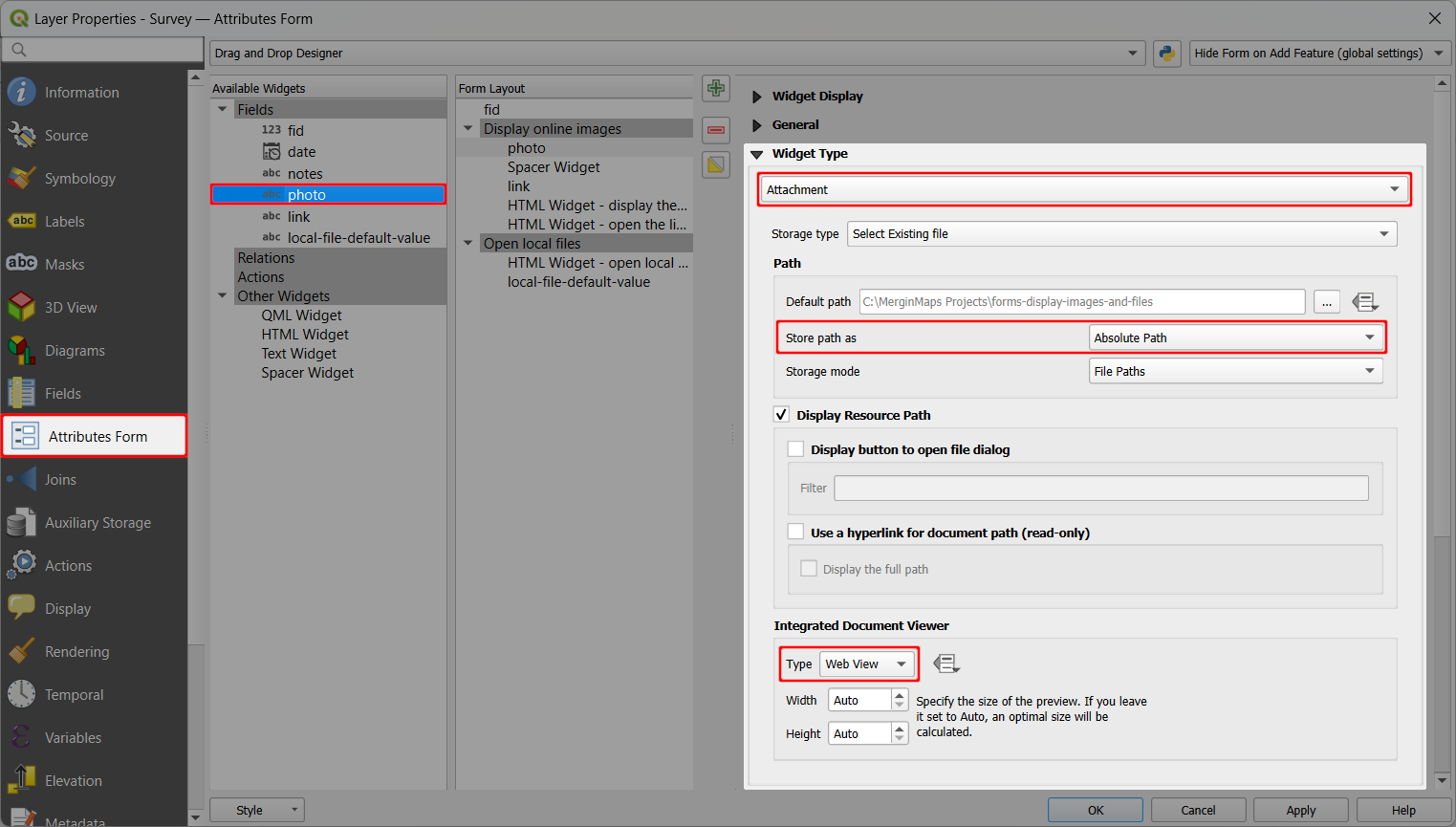
- Apply the changes
Online images can now be displayed in the form, both in QGIS (left) and in Mergin Maps mobile app (right): 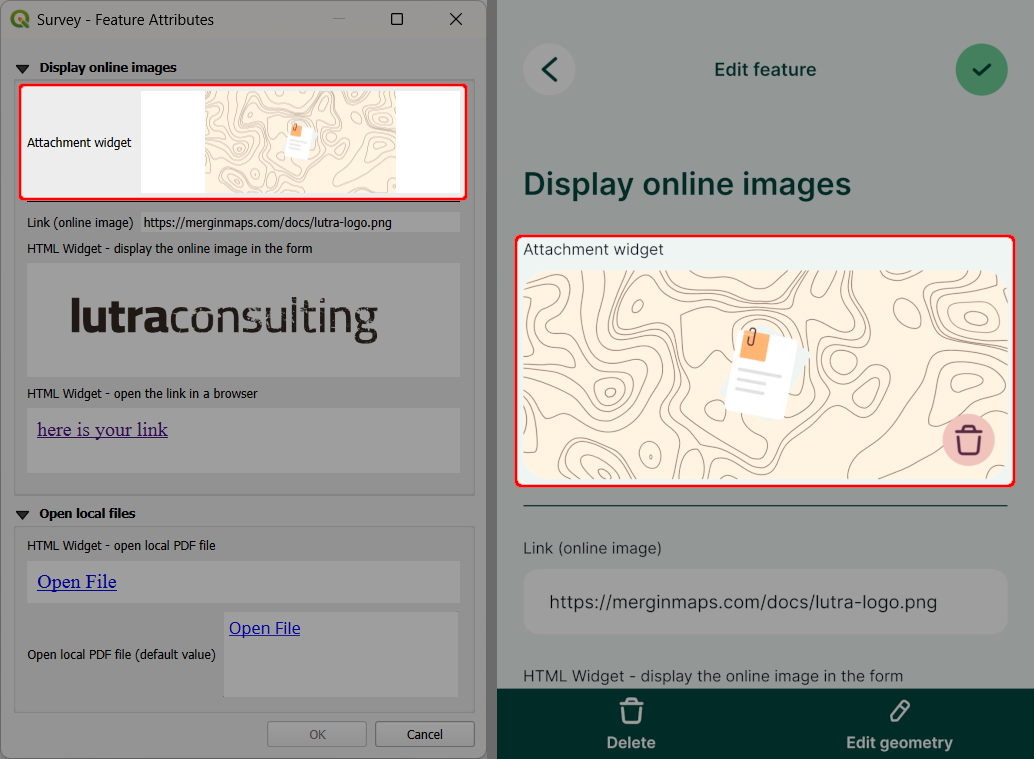
When you click or tap on the image, it will open directly in the form and you can zoom in.
Image preview in QGIS
Some QGIS versions may not display the preview of the image correctly. This issue does not occur in mobile app. Therefore we recommend trying the setup by opening the form in the mobile app to make sure it works as intended.
Using the HTML widget Advanced
The HTML widget can be used to display online images in the mobile app.
Your layer should contain a text field for storing the full URL link (here: link).
To show an online image in the form, add the HTML widget to the form and configure it with this expression (replace link with the name of the appropriate field in your layer):
html
<script>document.write(expression.evaluate("'<a href=\"'||attribute( @feature, 'link' )||'\"><img src=\"'||attribute( @feature, 'link' )||'\" width=300></a>'"));</script>Make sure that the HTML widget works before taking it to the field by testing it in the mobile app. It should display the online image both in QGIS (left) and in the mobile app (right):
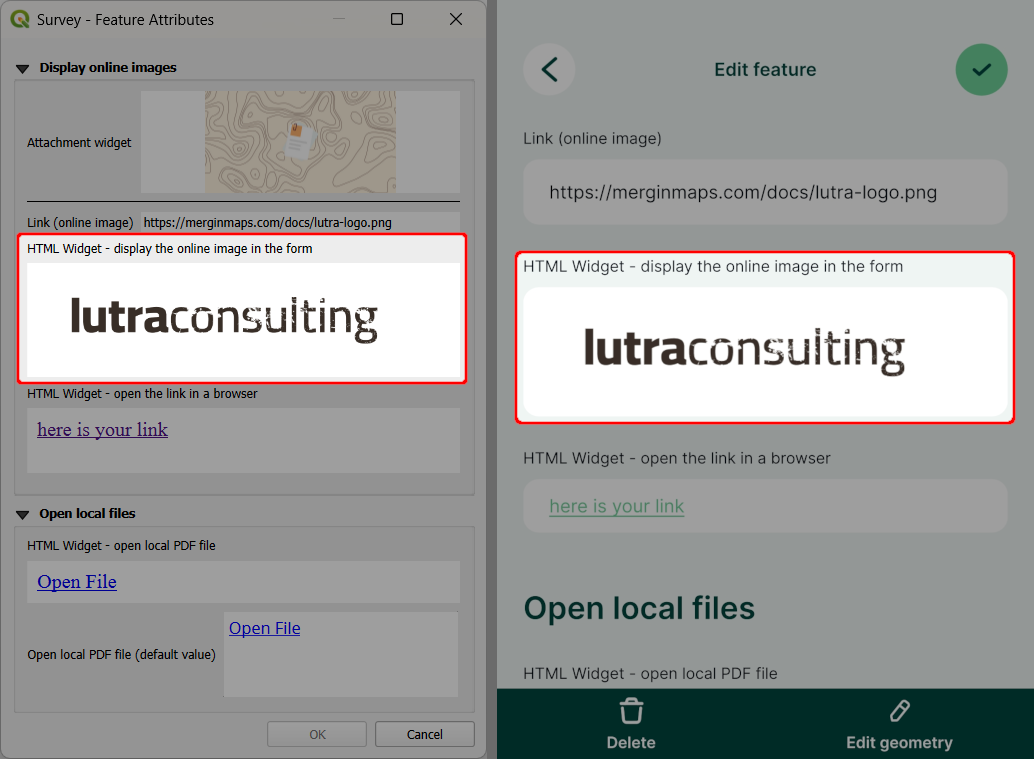
When you click or tap on the image, it will open in a web browser.
Image preview in QGIS
Some QGIS versions may not display the preview of the image correctly. This issue does not occur in mobile app. Therefore we recommend trying the setup by opening the form in the mobile app to make sure it works as intended.