Appearance
How to Use a Phone Call Link
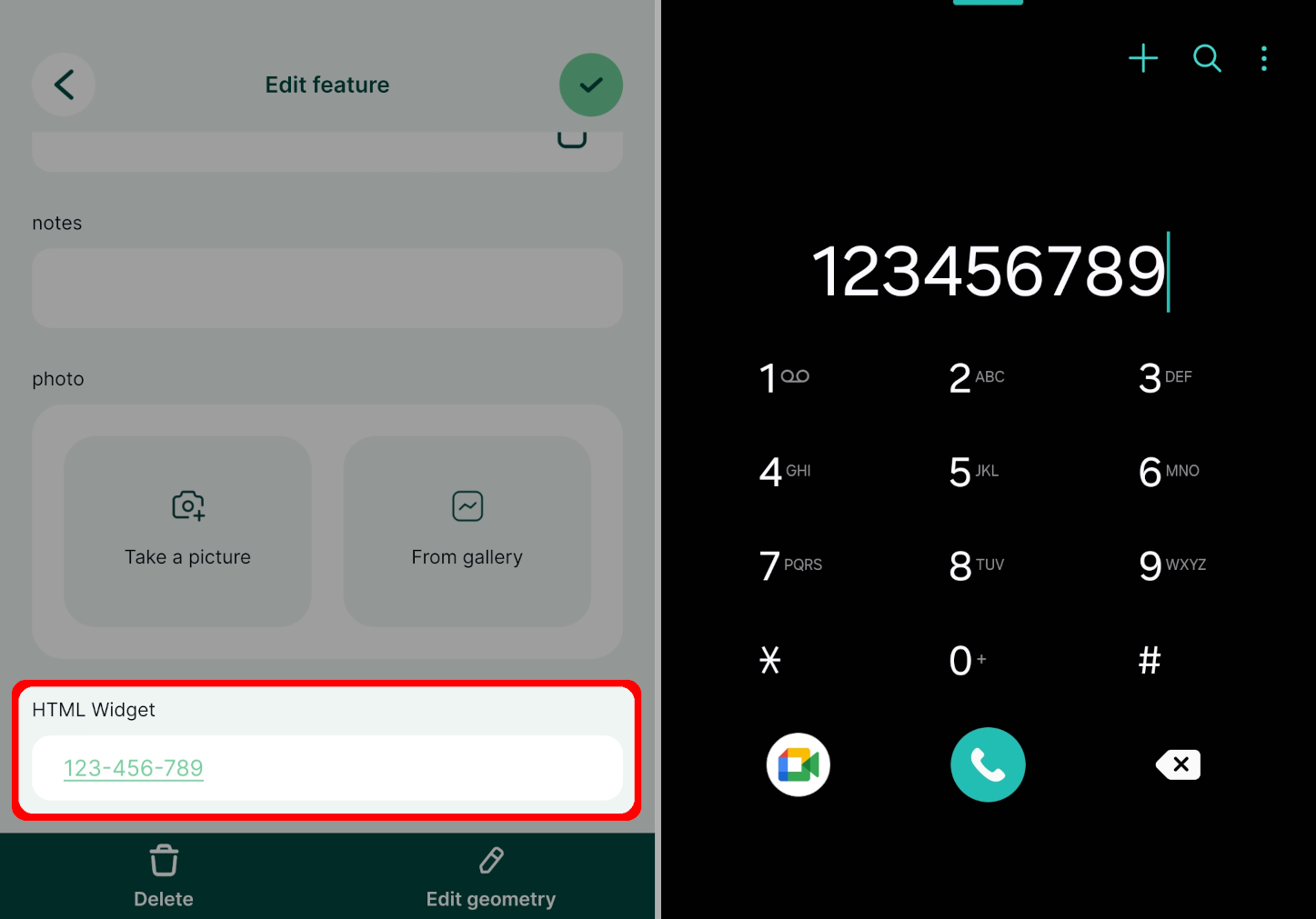
The HTML widget can be used to display a link that will trigger a phone call directly from the form in Mergin Maps mobile app.
Example project available
Clone  documentation/phone-call-link to see how this works.
Add the HTML widget to the Attributes form of your survey layer. Use the following configuration (replace 123-456-789 by the phone number you want to use):
<a href="tel:123-456-789">123-456-789</a>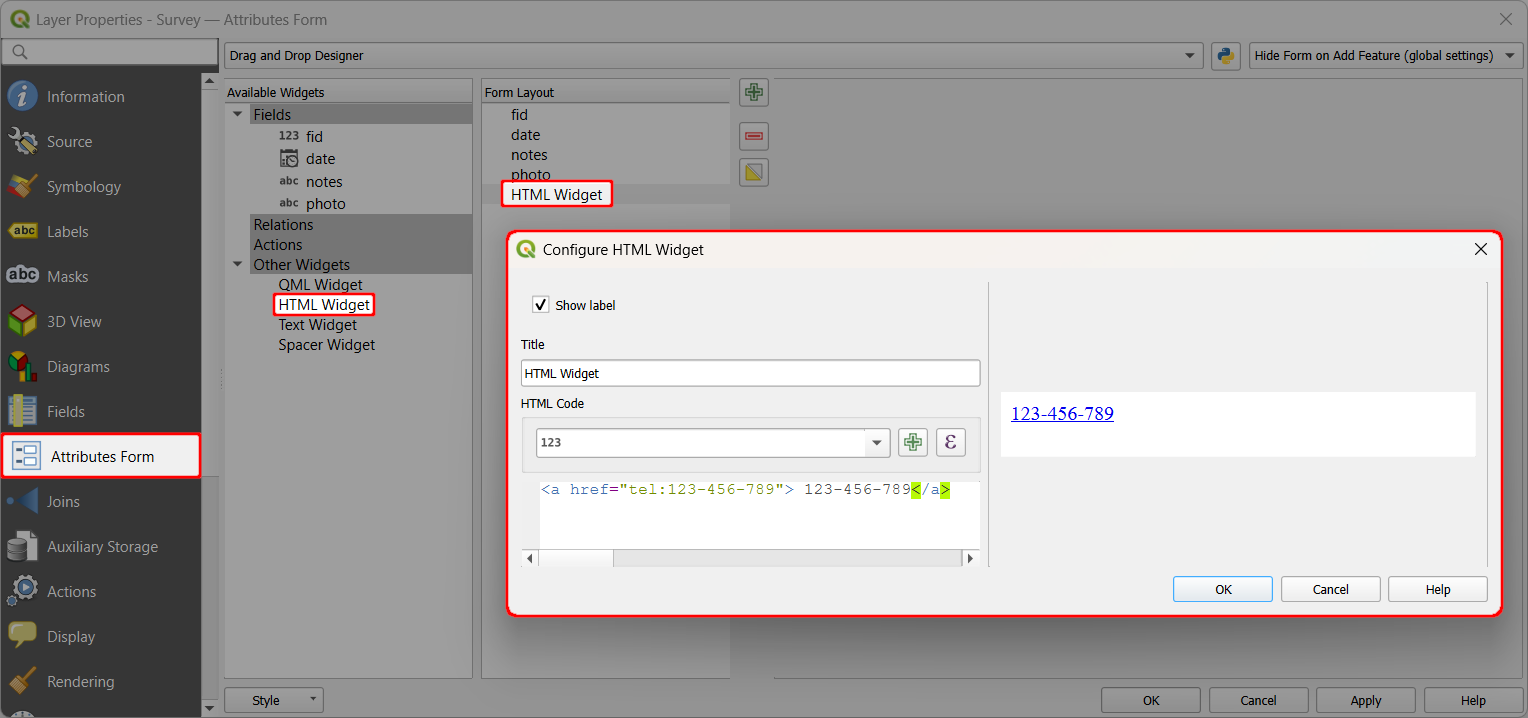
In the mobile app, the form now contains a link that can initiate a phone call.