
It’s been another great year for Mergin Maps users with a lot of new features like the history viewer and sketching on maps and photos, but we still have one more feature to announce just in time for the holidays - shared maps via URL! The new feature will make it easy to share an overview of your project with someone who doesn’t have a Mergin Maps account. This feature is great if you are doing a project and want to share the results with the public or provide customers with an overview of the data collected without having to create an account or access the project files.
How it works
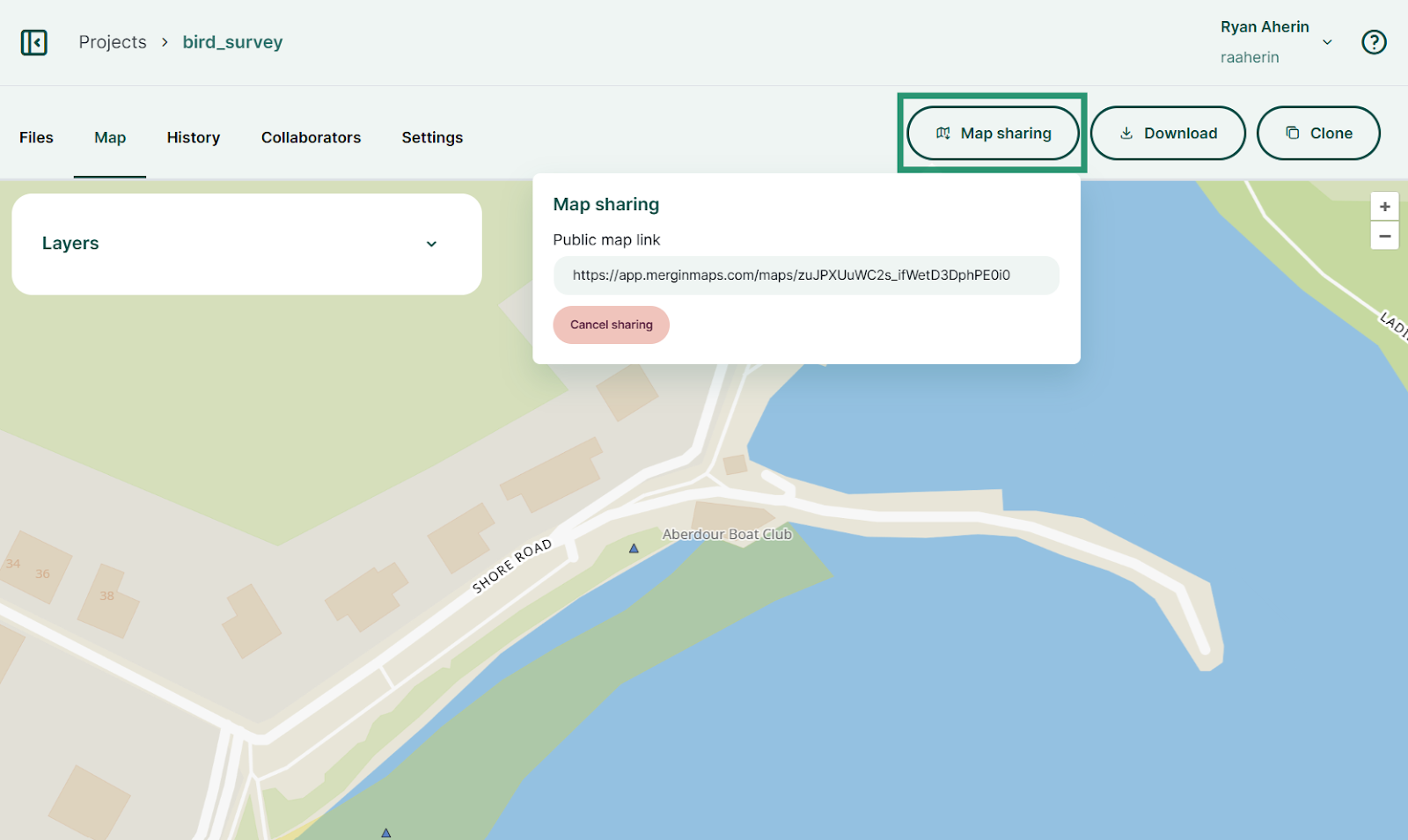
Once enabled, the feature will let you generate a link to share your project map from the Mergin Maps dashboard with anyone. To use the feature, just open the project map on the dashboard and click the Share map button. You’ll then see a link that you can send to anyone you want to share the map with. If you want to disable access to the link at a later time, just click the Cancel sharing button.
How to get it
Map sharing via URL is in early access, and you no longer need to fill out a form to try it! You can now enable it instantly with a single click. Simply navigate to your workspace settings, find the Early access program section, and turn on Map sharing via URL. We would love to hear your feedback as you try it out!